Product Barcodes Explained: Types, Uses and Printing Tips
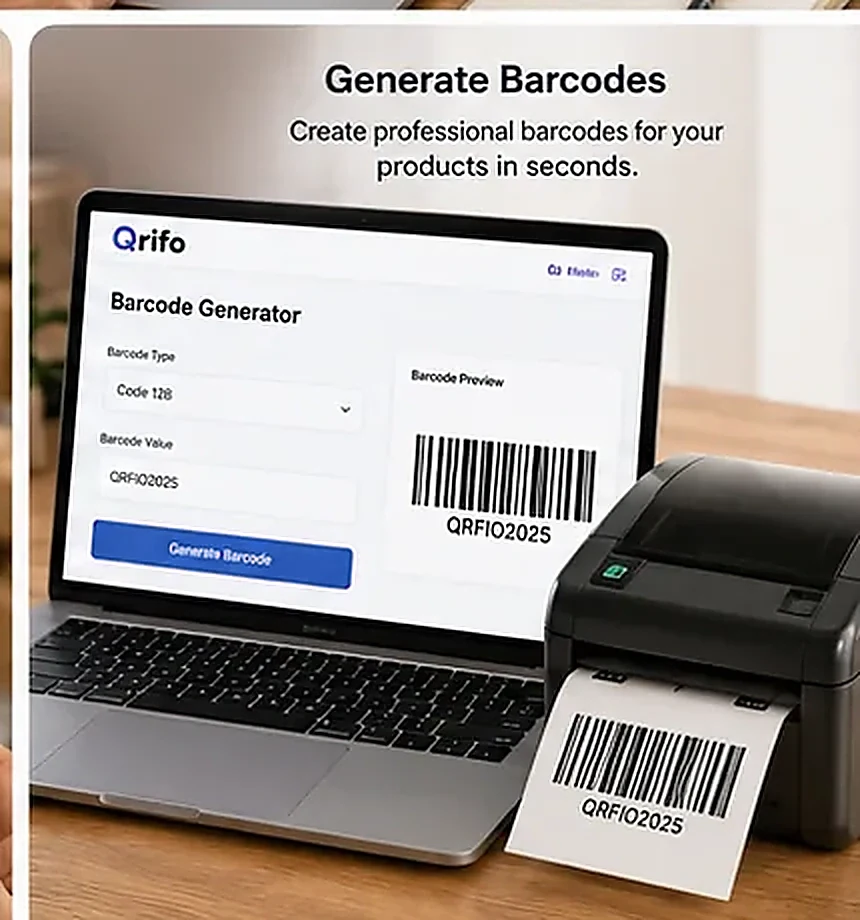
Barcodes help systems identify products or carry structured data that a compatible scanner can read. Choosing a barcode is not only a design decision: the format must match the product, the software and the requirements of the retailer or supply chain using it.
Know what a barcode is for
A barcode is a machine-readable representation of data, often shown as parallel lines and spaces in a one-dimensional symbol. A scanner reads the pattern and software interprets the encoded value. The barcode itself does not automatically provide a product description, price or inventory record; those details usually live in the connected database or point-of-sale system.
That distinction matters: generating a barcode image is different from registering a product identifier or making it valid for a particular retailer.
Understand common formats
EAN-13 is widely used for retail products in many markets. UPC-A is common in North American retail. EAN-8 is a shorter retail format intended for small packages when the appropriate identifier has been assigned. Code 128 can encode a broader range of characters and is used in logistics and internal workflows. ITF-14 is often used on outer cases and trade items.
These formats are not interchangeable in every setting. Scanner support, check-digit rules, label dimensions and the intended supply-chain use all matter. Confirm the specification with the organization that will scan the product.
Choose the right workflow
For internal inventory, a business may assign its own SKU and choose a format supported by its stock software. For retail products sold through retailers or marketplaces, the business may need a legitimate product identifier and should check the applicable GS1 and retailer rules. Do not assume that any random number generated in a barcode tool is an officially assigned retail identifier.
Qrifo’s barcode generator can help create barcode artwork for supported formats, but it does not register identifiers or certify compliance with a retailer’s requirements.
Print for reliable scanning
Use dark bars on a light, non-reflective background and preserve the required quiet zones. Avoid stretching the symbol, changing bar widths, placing it across a package seam or printing over a fold. Use an appropriate size for the scanner and the expected reading distance.
Thermal labels, laser prints and packaging processes can render edges differently, so inspect the final printed result rather than relying only on the screen preview. Keep human-readable digits legible where the format calls for them.
Test the label and data
Scan the printed label with the intended scanner or software. Verify that the exact expected value is returned and that it maps to the correct item in the inventory or point-of-sale system. A barcode may scan successfully yet still point to the wrong SKU because the data was entered incorrectly.
For important retail or logistics applications, ask the receiving partner whether they require barcode verification equipment or a specific print-quality standard. A phone camera is useful for a quick check but is not a substitute for formal verification where required.
Know when you need a GS1 identifier
If a product is entering a formal retail supply chain, check whether a GTIN from GS1 or another accepted identifier source is required. The right approach depends on product type, sales channels and retailer requirements. Keep records of assigned identifiers and avoid reusing identifiers for different products.
For a visual comparison of 2D and 1D codes, see QR code vs barcode. If you need to inspect an existing code, try the Qrifo QR and barcode scanner.
Frequently asked questions
Does creating a barcode give my product an official number?
No. A barcode generator creates the symbol artwork from the data you enter. It does not assign or register a product identifier.
Which barcode is best for retail products?
It depends on the market and retailer requirements. EAN-13 and UPC-A are common retail formats, but confirm the exact specification and identifier requirements for your product.
Can I use any number in a barcode?
For internal use, your organization may define its own SKU scheme. For retail or supply-chain use, follow the identifier and format rules required by your retailer or standards organization.
Try the free tools: Qrifo QR code generator · barcode generator · QR and barcode scanner.
Related guides
More tools: URL QR WiFi QR WhatsApp QR vCard QR Barcode generator